On this page
- The goAML login uses your SACM username, and the 6-digit code from your Authenticator app as the password.
- There is no fixed password to remember: a new code appears every 30 seconds.
- First time? You need SACM registration and an approved goAML registration before you can file anything.
- Most login problems come from an expired email code, a phone clock that is out of sync, or a new phone without the secret key.
- New users and a new compliance officer (MLRO) register as a new person under your Organization ID.
The goAML login is where UAE businesses file suspicious transaction reports and other reports with the Financial Intelligence Unit (FIU). Once it is set up, signing in takes a few seconds. But the two-step system catches people out: there is no password you choose, and a lost phone can lock you out.
Below is where to log in, what you need, and how to fix the problems we see most often.
Where is the goAML login page?
The UAE goAML portal is run by the FIU on its e-services website. It has two parts, and you use both:
- SACM at services.uaefiu.gov.ae/sacm/: where each person gets a username and secret key, once.
- The goAML portal at services.uaefiu.gov.ae/goaml/: where you log in, register your organization and file reports.
Searching for "goaml login" also brings up the goAML portals of other countries that use the same system. Bookmark the UAE address so you always land on the right one.
Only log in on the services.uaefiu.gov.ae website, and never share your secret key. Anyone who has it can create your login codes.
What you need to log in to goAML
- Your username. It arrives by email after SACM registration, in the same email as your secret key.
- The Authenticator app on your phone (such as Google Authenticator), set up with your secret key. It shows a 6-digit code that changes every 30 seconds.
- An approved goAML registration for your organization, which gives you an Organization ID. You need it to file reports.
How to log in to goAML, step by step
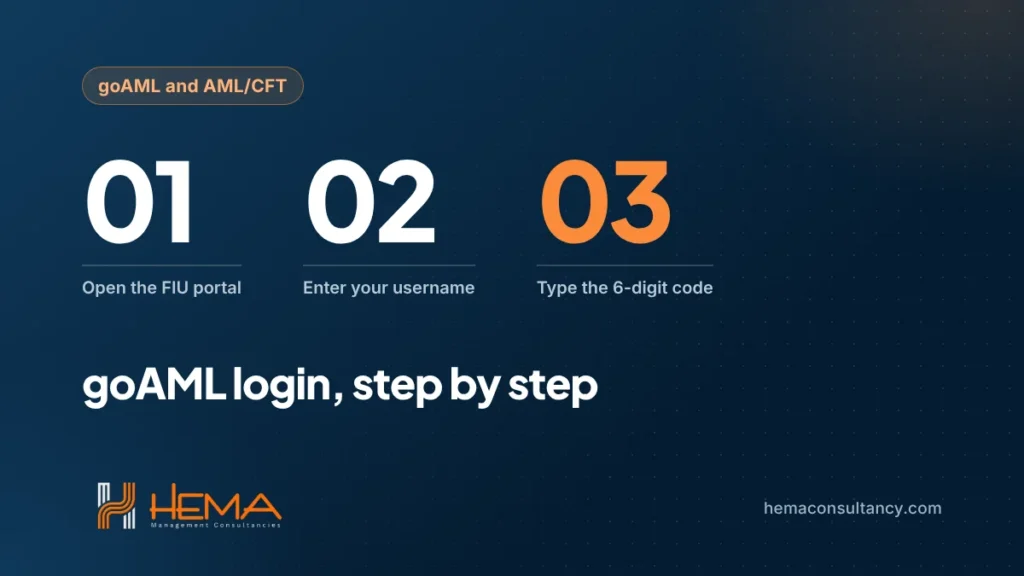
- Open the goAML portal at services.uaefiu.gov.ae/goaml/.
- Enter your SACM username.
- Open the Authenticator app and type the current 6-digit code in the password field.
- Sign in before the code changes. If it changes while you type, use the new one.
- Check the message board once you are in: the FIU sends notices and requests for information there.
First time? SACM registration comes first
You cannot use goAML until two stages are done:
- SACM pre-registration at services.uaefiu.gov.ae/sacm/: the organization's details plus the trade license, an authorization letter and the compliance officer's Emirates ID and passport.
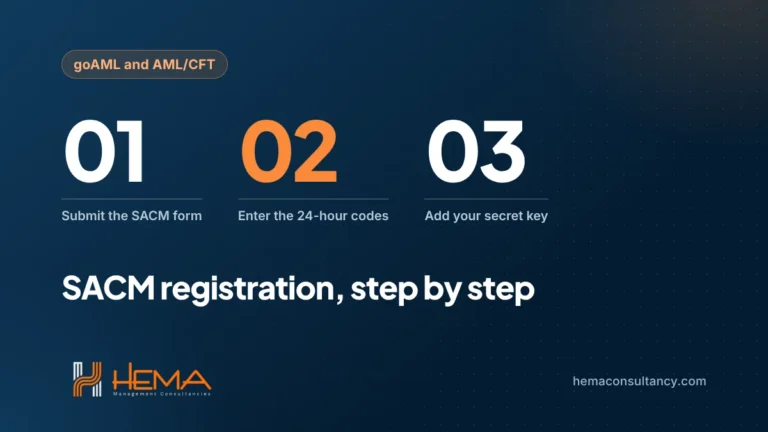
- Verification: after approval, you enter the email and SMS one-time codes (valid for 24 hours) and receive your username and secret key by email.
- Authenticator setup: add the secret key to the app on your phone.
- goAML registration: log in and register your organization. Once it is approved, the FIU emails you your Organization ID.
Not sure your business has to register? See who needs goAML. Our goAML registration service handles both stages with you, from documents to approval.
For every field and document, see our SACM registration guide.
Our team looks at your case and tells you what applies to you and what to do next. The first consultation is free.
Common goAML login problems and how to fix them
| Problem | Likely cause | What to do |
|---|---|---|
| The email or SMS code no longer works | SACM one-time codes are valid for 24 hours | Email the FIU goAML team (goaml@uaefiu.gov.ae) from your registered email address and ask for a new code |
| "Invalid" code at login | Your phone's clock is out of sync, or you typed a code that just changed | Turn on automatic date and time on your phone, wait for a fresh code and try again |
| New or lost phone | The Authenticator app was set up on the old phone | If you still have the email with your secret key, add it to the app on the new phone. If not, contact the FIU goAML team from your registered email address |
| Forgot your username | It is not something you chose | Search your registered inbox for the FIU email that contained your username and secret key |
| Registration not approved yet | Your request is still under review, or was rejected | The result comes by email. If it was rejected, fix the reason given and resubmit the second stage only, not SACM |
| Your compliance officer has left | Each login belongs to one person | Register the new officer as a new person (see below) instead of using the old login |
Save the email with your username and secret key somewhere secure. It is the easiest way to move your login to a new phone without asking the FIU for help.
How to add a new user or change your MLRO
Every person needs their own goAML login. To add a colleague or a new compliance officer (MLRO):
- If you are supervised by the Ministry of Economy and Tourism, ask the ministry to approve the new MLRO first. Keep the approval email: you will need it.
- The new person completes SACM pre-registration and receives their own username and secret key.
- They log in to the goAML portal and register as a new person under your existing Organization ID.
- The organization's admin user, normally the MLRO, approves additional users. Changes the MLRO submits are approved by the supervisor.
- Update the organization's contact details to the new MLRO, and remove access for anyone who has left.
If you do not have a compliance officer in-house, our outsourced MLRO service includes looking after your goAML account: users joining and leaving, lost authenticator access and FIU notices.
What to do after you log in
- Read the message board. The FIU sends notices and requests for information there, and expects a reply within the time it gives.
- File your reports on time: suspicious transaction and activity reports (STR and SAR), and sector reports such as DPMSR for dealers in precious metals and stones and REAR for real estate. See goAML reporting.
- Keep your details current, especially the compliance officer's name, email and phone number.
Missing reports or ignoring FIU requests is a compliance failure. The range depends on the action. Administrative fines on a business start at AED 10,000, and criminal fines for legal entities can reach AED 100 million.
Questions we hear most
Go to services.uaefiu.gov.ae/goaml/, enter your SACM username, and type the current 6-digit code from your Authenticator app as the password. There is no password to remember. The password is the 6-digit code your Authenticator app shows at the moment you log in. Complete SACM pre-registration to get your username and secret key, then log in to the goAML portal and register your organization. The FIU emails your Organization ID once it is approved. There is no formal certificate. Proof of registration is the FIU approval email with your Organization ID. Keep it, because banks and licensing authorities may ask for it. The decision arrives by email from the FIU. If your request was rejected, the email gives the reason: fix it and resubmit the second stage only. No. Each login belongs to one person and is tied to their phone. Register every user as a new person under your Organization ID.How do I log into goAML?
What is my goAML password?
How do I open my goAML account?
What is a goAML certificate?
How do I check my goAML registration status?
Can two people share one goAML login?